Ball Connect Documentation by slotgen
Ball Connect
Created: 27/06/2023
By: Tegagame
Email: info@tegagame.com
Thank you for purchasing my code. If you have any questions that are beyond the scope of this help file, please feel free to email via my user page contact form here. Thanks so much!
Table of Contents
- About the Game
- Upload to your website
- Construct File (.c3p)
- Export as APK
- Change Graphics
- Embed HTML5 Game WordPress Plugin
- Extended License
A) About the Game - top
Welcome to "Ball Connect" - fun logic game with number balls! In "Ball Connect", each ball is associated with a number, starting from 2. Your task is to connect balls of the same number to form increasing chains with each number being twice as much. previous numbers. Use your tactics and calculations to find the optimal ways to connect. To connect them, just touch the two balls and draw a connecting line between them. Remember that the connecting line cannot go through any other balls. The game will challenge you through different levels, with increasing difficulty. You will have to think fast and make the correct decisions to create the longest chain of connections and get the highest score!
- HTML5 game playable on all platforms (PC, Mobile, Android, iOS).
- Beautiful graphics (you can easily reskin according to your design).
- Made in Construct 3.
B) Upload to your website - top
You need hosting to upload it and share the link with your friend to play.
Some free hosting.
- Hostinger
- Weebly
- 000Webhost
- Wix
- InfinityFree
- Awardspace
- Freehostia
- Freehosting
You can upload the files in "HTML5 & c3p -> HTML5" folder directly to your website. I would suggest using Filezilla for that. Login to your ftp account of your domain, create a new folder for the game and move all files in HTML5 folder of the game onto the section here in filezilla.
Step 1: From the Construct 3 window, click on the "Menu" button then select "Export" or press F6. Then select "Web".

Step 2: After the file has been downloaded, extract it.

Step 3: Open the FileZilla window and log in. You need to have the following information: Host, Username , Password, Port section you type 21. Then right click and select Create Directory


Finally, you proceed to Import the previously extracted files. And proceed to your server link and add the path "/game-name" after it.

C) Construct File (.c3p) - top
Construct 3 file (.c3p) is included all sources and game mechanics. You can go to editor. https://editor.construct.net/In order to export your game, you are required to get Construct 3 license. You can get the license. https://www.construct.net/en/make-games/buy-construct
D) Export as APK - top
Step 1.
Open the .c3p on editor.
Step 2.
Go to Menu -> Project -> Export

Step 3.
Choose Android(Cordova), iOS(Cordova) or Web(HTML5) according to which platform you want to export to.

E) Change Graphics - top
First, you open the .c3p file and determine the object to change the graphics.
Then follow the instructions below:


Select the image to replace stored in your folder.


F) Embed HTML5 Game WordPress Plugin - top
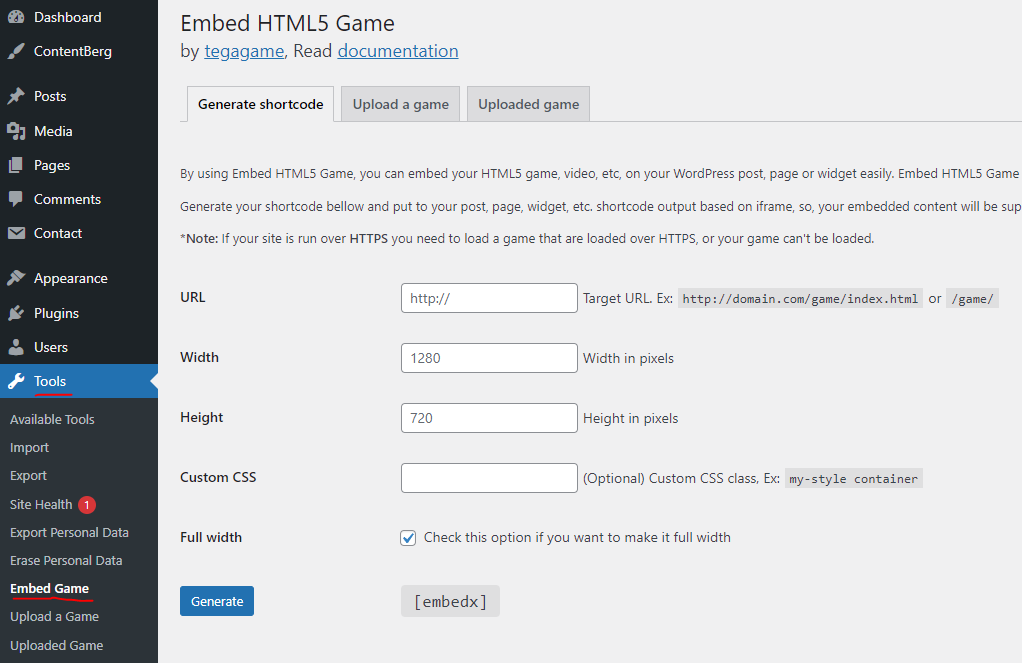
Using the Embed HTML5 Game plugin, you can easily embed your HTML5 game into your WordPress post, page, or widget. Embed HTML5 Game can make your HTML5 game fit on any screen size.
Shortcode output is based on iframe, so your embedded content will be supported on any modern browser.
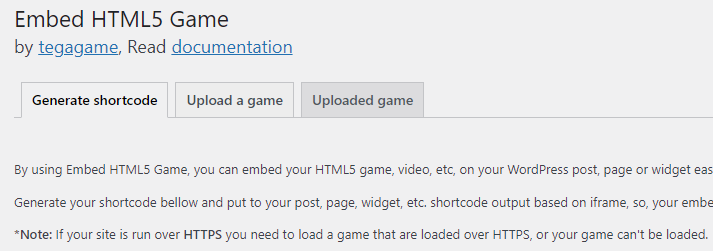
Installation:
- Download the plugin here or on the post attachment
- Login to your WordPress site, then go to “Dashboard > Plugins > Add new > Upload plugin.”
- Upload “embed-html5-plugin.zip”
- After the plugin is uploaded then, activate it.
Screenshots:
G) Extended License - top
If you bought the Extended License i will reskin the game (use your graphics, create a new logo) for free.
Once again, thank you so much for purchasing this code. As I said at the beginning, I'd be glad to help you if you have any questions relating to this code. No guarantees, but I'll do my best to assist. If you have a more general question relating to the code on Codecanyon, you might consider visiting the forums and asking your question in the "Item Discussion" section.
Tegagame